
Polaris Office for LG7.6.4 - Google Play
You'll be able to see results in few seconds.
Publisher Description


The best office app loved by 60 million users worldwide.
"Editors' Choice", "2015 Best App"
, and
"Top Developer"
awarded by Google Play.
Polaris Office + PDF is a free office app with all-in-one feature to view, edit, share, memo and archive all types of documents anytime and anywhere.
All document formats and clouds with a single app
* View and edit all document types with the highest level of compatibility: Microsoft Office Word, Powerpoint, Excel, Google Docs, Spreadsheet, Slide, TXT and Adobe PDF.
* Access and save back to your preferred cloud storage such as Google Drive, Dropbox, Box, OneDrive, and others.
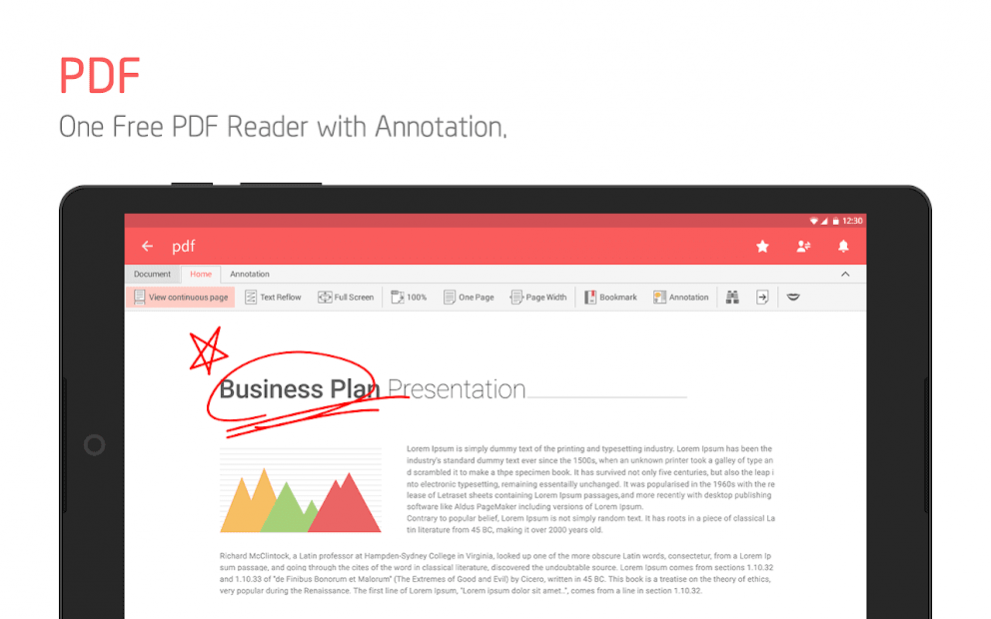
Powerful PDF reader & converter
* View PDF on your mobile device anytime
* Make and annotate important notes on PDF
* Convert document to PDF on your smartphone or tablet
Smallest in size, yet powerful features
* Enjoy powerful editing features including PDF annotation, memo, note taking, and cloud based file management with a smallest app!
Make your most impressive presentation
* Have more impressive presentation with pen and pointer features
* Use Google Chromecast feature for presentation
Save time with easy access to your document
* All documents are automatically synced to cloud for faster, easier way to access them anytime you wish
* Access your recent and shared document with one tap
Share your document
* Share your document via link, email, instant messaging, Facebook, Twitter and more
* View up-to-date document with shared link
* Leave comments within the document and discuss ideas with others
Take a note with handwriting
* Write your ideas and take a note on all types of documents as easily as writing on a paper
Search for all your documents
* Search for all your documents with filename, text within a document, and more options
* Provide variety of sorting options to find a document easily
Documents & data are safe
* All your documents and data are highly encrypted.
* Protect your documents with app passcode
Concentrate on reaching your goals
* Write your resume, lecture notes, meeting reports, budget planners, etc in a variety of templates.
Features in details :
* Supported Formats : doc docx / xls xlsx / ppt pptx / pdf / txt
* Export to PDF and Memo
* Automatic sync of all documents via Polaris Drive
* Download and edit files from other cloud services (Google Drive / Dropbox / Box / OneDrive / Amazon Cloud Drive / uCloud and WebDAV clouds)
* Archive important documents separately
* Search document titles and body content
* Add and edit header/ footer/ endnote and footnote
* Ruler available
* Various spreadsheet functions with over 300 formulas for Arithmetic/ Finance/ Date/time/ Statistical/ Database/ Look up and more
* 24 different templates / 20 2D/3D charts / 173 different shapes
* 37 slide transition effects
* Camera mode that can be used to take pictures and applied to the document / Insert and play video clips / Directly open zip files
Supported Languages :
Supports Korean, English, Spanish, Portuguese, and 14 other languages.
To learn more about Polaris Office :
- Official Website : http://www.polarisoffice.com
- Facebook : http://www.facebook.com/polarisoffice
- Twitter : http://www.twitter.com/polarisoffice
- For any inquiries go to [Application] -> [Settings] -> [Customer Support] or email us at support@polarisoffice.com
- Polaris Office Privacy & Terms : http://www.polarisoffice.com/privacy
Note:
- You can upgrade to the Smart Plan ($3.99/month & $39.99/year) or the Pro Plan ($5.99/month & $59.99/year) to take the advantage of even more premium functions.
- Users can sign up for Polaris Office with the email addresses associated with their devices.
- Supports accessing documents saved on other cloud storages.
- Supports saving edited documents to other cloud storages.
About Polaris Office for LG
The company that develops Polaris Office for LG is Infraware Inc.. The latest version released by its developer is 7.6.4.
To install Polaris Office for LG on your Android device, just click the green Continue To App button above to start the installation process. The app is listed on our website since 2019-09-25 and was downloaded 0 times. We have already checked if the download link is safe, however for your own protection we recommend that you scan the downloaded app with your antivirus. Your antivirus may detect the Polaris Office for LG as malware if the download link to com.infraware.office.link.lg is broken.
How to install Polaris Office for LG on your Android device:
- Click on the Continue To App button on our website. This will redirect you to Google Play.
- Once the Polaris Office for LG is shown in the Google Play listing of your Android device, you can start its download and installation. Tap on the Install button located below the search bar and to the right of the app icon.
- A pop-up window with the permissions required by Polaris Office for LG will be shown. Click on Accept to continue the process.
- Polaris Office for LG will be downloaded onto your device, displaying a progress. Once the download completes, the installation will start and you'll get a notification after the installation is finished.
Program Details
System requirements
Download information
Pricing
Version History
version 7.6.4
posted on 2019-09-25
In this version,
- Improved scrolling performance on documents to speed up
- Improved the speed of saving documents when there are many blank cells in Sheet documents.
- Fixed the problem that the text background becomes black in PDF documents.
- Fixed other errors and improved the usability based on the users’ feedback.
Polaris Office consider customers' feedback to be important!
Please give us your feedback to provide better service to you.
version 7.5.1
posted on 2019-07-08
In this version,
- Improved the usuability and fixed other issues that we found from customer reviews and inquiries..
Polaris Office regards customers feedback as important!
Please give us your opinion for us to provide you better service.
version 7.3.0
posted on 2016-09-12
* You can search and manage documents stored on your device.,* Improved the user interface to allow users to use the File Browser menu more easily.,* You can use Polaris Office without creating an account.,* Fixed other bugs to help you enjoy our product without any inconveniences.
Disclaimer
Official Google Play Link
We do not host Polaris Office for LG on our servers. We did not scan it for viruses, adware, spyware or other type of malware. This app is hosted by Google and passed their terms and conditions to be listed there. We recommend caution when installing it.
The Google Play link for Polaris Office for LG is provided to you by apps112.com without any warranties, representations or guarantees of any kind, so access it at your own risk.
If you have questions regarding this particular app contact the publisher directly. For questions about the functionalities of apps112.com contact us.
